Posts

Showing posts with the label custom css

Disappear text animation with html and css in 2022 by jishaansinghal with full source code

Image
Disappear text animation with html and css in 2022 by jishaansinghal with full source code Html:    <div class="animation">   <span>d</span> <span>i</span> <span>s</span> <span>a</span> <span>p</span> <span>p</span> <span>e</span> <span>a</span> <span>r</span> </div> Css: body {   height:100vh;   font-family: 'Poppins', sans-serif;   font-size:12vw;   text-transform: uppercase;   overflow: hidden; } .animation {   position: absolute;   left:0;   right:0;   margin: auto;   width:100%;   text-align: center;   height:fit-content;   bottom:0;   top:0; } .animation span {   font-weight: 900;   display: inline-block;   color:transparent;   text-shadow: 0px 0px 0px black;   animation-duration: 3s;   animation-iteration-count: infinite; } .animation span:nth-child...
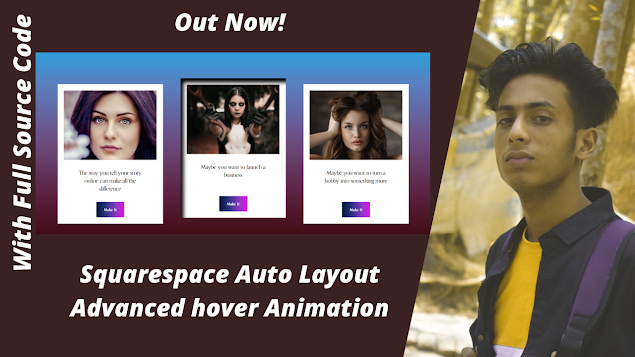
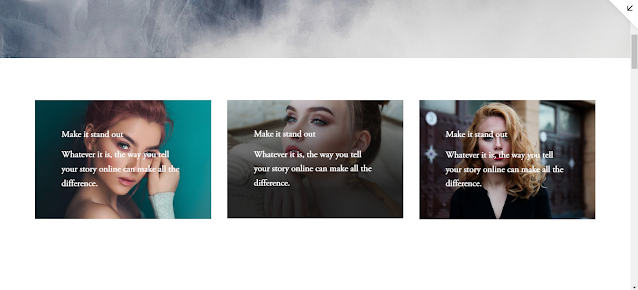
How to add Squarespace auto layout hover Animation in 2022 by jishaansinghal

Image
How to add Squarespace auto-layout hover Animation in 2022 by jishaansinghal Source Code: .user-items-list-simple .list-item { transition: .5s ease-in-out; } .user-items-list-simple .list-item:hover { transform: translateY(-20px); box-shadow: 10px 14px 14px 0px #000 inset; } keywords: #website design and development,#motivation,#personal #development,#career,#business,e#commerce,#job,#moshiur,#codersfoundation,l#ifestyle,#rich #life,#website #design,#bangla tutorial,c#oding,#computer programming,#online career,#freelancing,w#ordpress,#wordpress #bangla #tutorial,#woocommerce,w#ordpress p#lugins,#website development,#wordpress development,#make website,#job #opportunity,#Funny,#Bangladeshi,#Youtuber,#Comedy,#Entertainment,#Prank FreelancingOnline Money EarningTutorialEducationLearn EnglishFunny Videosmake money onlinevlogFreelancer nasimbangla funny videobangladesh top freelancermotivational video best outsourcingfreelancingfreelancing bangla tutorialoutsourcing institutejamal...

Squarespace custom image animation effects first time on youtube in 2022 by jishaansinghal

Image
Squarespace custom image animation effects first time on youtube in 2022 by jishaansinghal Source Code: BLOCKID img{ transform: scale(1); transition: .3s ease-in-out; } BLOCKID:hover img{ transform: scale(1.1); // transition: .5s ease-in-out; } BLOCKID .image-overlay{ transition: .3s ease-in-out; position: absolute; top: 40%; left: 0; width: 100%; height: 100%; opacity:0; } BLOCKID:hover .image-overlay{ transition: .3s ease-in-out; position: absolute; top: 0%; left: 0; width: 100%; height: 100%; opacity:1; background: linear-gradient(to bottom, rgba(21,21,21,0.1) 0%, rgba(21,21,21,0.9) 75%); } keywords: squarespace, squarespace tutorial, squarespace 7.1, squarespace css, squarespace custom css, squarespace hacks, squarespace tips and tricks, custom css, lottie animation squarespace, squarespace css tutorial, squarespace advice, squarespace help, make it, online how to, squarespace domain, squa...

How to install and use owl carousel mousewheel animation slider with full source code by jishaansinghal 2022

Image
How to install and use owl carousel mouse wheel animation slider with full source code by jishaansinghal 2022 Source Code: <!DOCTYPE html> <html lang="en"> <head> <meta charset="UTF-8"> <meta name="viewport" content="width=device-width, initial-scale=1.0"> <title>Document</title> <link rel="stylesheet" href="https://cdnjs.cloudflare.com/ajax/libs/OwlCarousel2/2.3.4/assets/owl.carousel.min.css"/> <link rel="stylesheet" href="https://cdnjs.cloudflare.com/ajax/libs/OwlCarousel2/2.3.4/assets/owl.theme.default.min.css"/> <style> body{ background-image: linear-gradient(to right top, #d16ba5, #c777b9, #ba83ca, #aa8fd8, #9a9ae1, #8aa7ec, #79b3f4, #69bff8, #52cffe, #41dfff, #46eefa, #5ffbf1); height: 70vh; } img{ width: 100%; height: 250px; } </style> </head> <body> <div class="owl-carousel owl-theme" style=...

How to use Fake Twitter Tweet Generator Plugin on your website 2022 by jishaansinghal

Image
How to use Fake Twitter Tweet Generator Plugin on your website 2022 by jishaansinghal CSS CDN:   <!-- CSS -->   <link rel="stylesheet" href="https://stackpath.bootstrapcdn.com/bootstrap/4.1.0/css/bootstrap.min.css" integrity="sha384-9gVQ4dYFwwWSjIDZnLEWnxCjeSWFphJiwGPXr1jddIhOegiu1FwO5qRGvFXOdJZ4" crossorigin="anonymous">   <!-- FONTS -->   <link rel="stylesheet" href="https://fonts.googleapis.com/css?family=Open+Sans:400,600,700">   <link rel="stylesheet" href="https://use.fontawesome.com/releases/v5.0.10/css/all.css" integrity="sha384-+d0P83n9kaQMCwj8F4RJB66tzIwOKmrdb46+porD/OvrJ+37WqIM7UoBtwHO6Nlg" crossorigin="anonymous"> JS CDN:   <!-- JavaScripts -->   <script src="https://code.jquery.com/jquery-3.3.1.slim.min.js" integrity="sha384-q8i/X+965DzO0rT7abK41JStQIAqVgRVzpbzo5smXKp4YfRvH+8abtTE1Pi6jizo" crossorigin="anonymous...